Runs page
The Runs page is where people see what a run's agents did. Open AI Observability in the sidebar and choose Runs. One run opens at its own page. Connect, beside it, is where you generate your key and copy the setup for each agent.
You need the relay.read permission and access to the sessions dataset. You see your own agents unless your role has the relay.read_all permission.
Runs list
The list shows every run in the selected time range, newest started first.
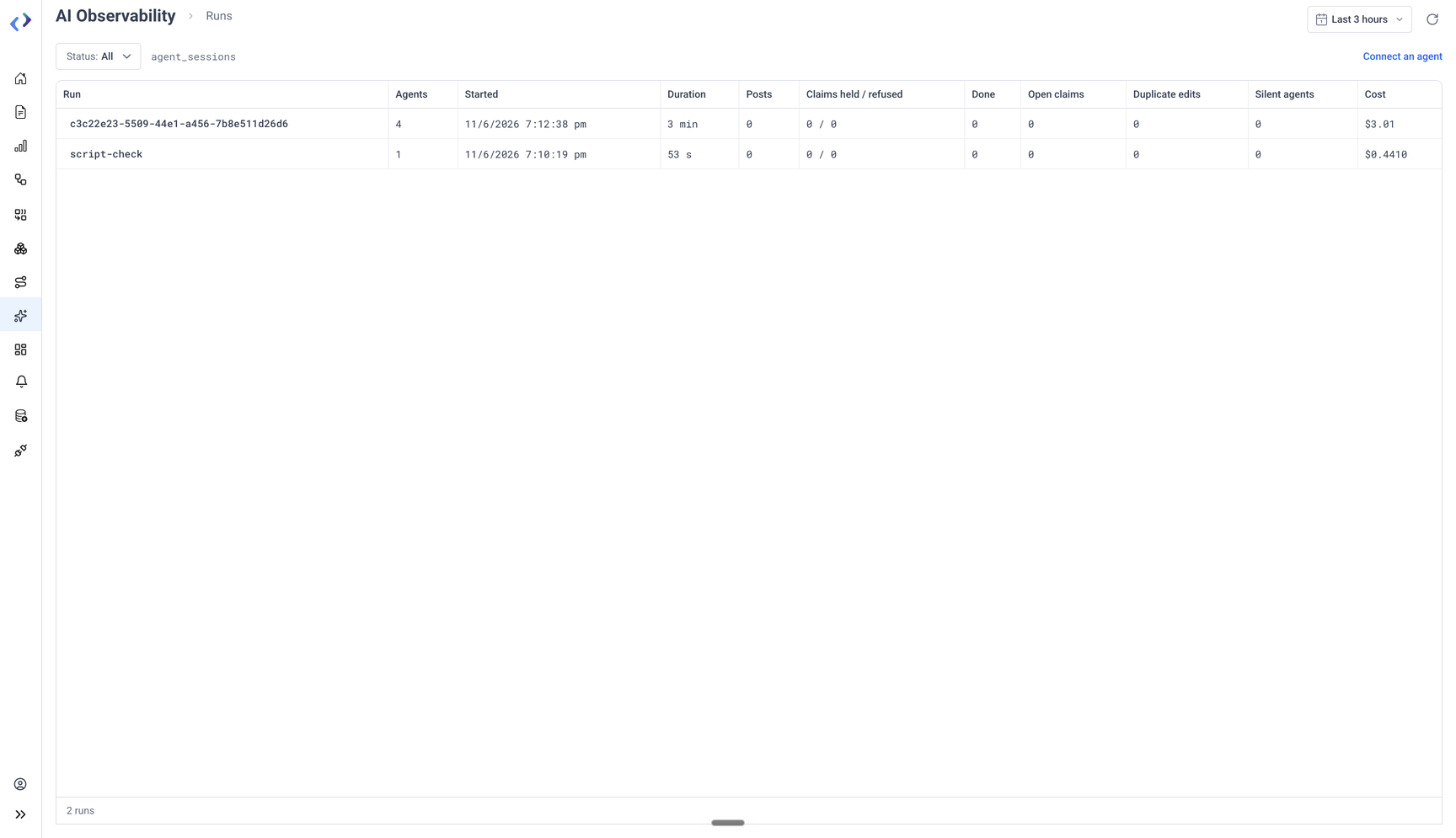
| Column | Meaning |
|---|---|
| Run | The run id: CTRLB_RUN, or the session id of a session that is its own run |
| Agents | Agents that wrote to the run |
| Started, Duration | From the run's first row to its last |
| Posts | Notes the agents posted |
| Claims held / refused | Claims answered held: true, and claims refused |
| Done | Keys released as done |
| Open claims | Holds live now: not released, not done, lease not run out |
| Duplicate edits | Keys edited by more than one agent |
| Silent agents | Agents with no row for a while during a live run |
| Cost | Sum of the session rows' cost, when they carry it |
- Status filters to live, done or all runs. A run is live while one of its agents wrote in the last 60 seconds.
- Click the Cost or Duplicate edits header to sort by it, to find the expensive runs and the ones where agents did the same work.
- Load more fetches the next page of runs.
- Click a row to open the run.
- With no runs in the time range, the page explains what a run is and links to Connect.
Run detail
The run page has the run id, a Live marker while the run is live, its start time and duration, a tile strip, the timeline, and the resources table. Agent map opens the AI agent map on the AI Observability overview.
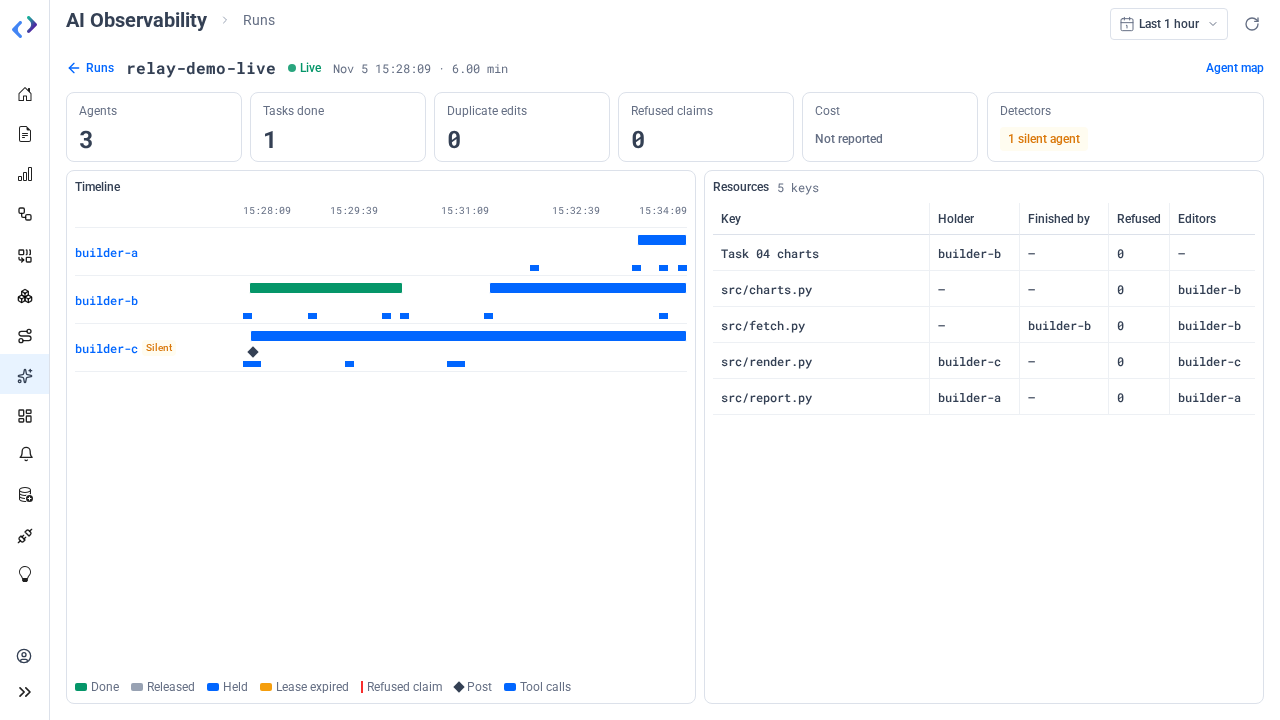
While the run is live, the page reads it again every 2 seconds, and less often while the browser tab is hidden. Posts and claims appear at once. Tool calls appear when the agent's hook uploads them, at the end of each turn.
Tiles
| Tile | Meaning |
|---|---|
| Agents | Agents that wrote to the run |
| Tasks done | Keys released as done |
| Duplicate edits | Keys edited by more than one agent |
| Refused claims | Claims refused because another agent held the key |
| Cost | Sum of the run's session rows' cost. Not reported when no row carries cost, as with Codex. |
| Detectors | One badge per detector that fired. Click a badge to jump to its rows. |
The detectors are computed when the page reads the run:
| Detector | Fires when |
|---|---|
| Duplicate edit | Two or more agents edited the same key. Edits are Edit, Write, MultiEdit, NotebookEdit and apply_patch calls, keyed from their paths the way claims are keyed. |
| Silent agent | The run is live and an agent has written nothing for the workspace's silentAfterSeconds, 120 seconds by default. The agent's lane carries a Silent label. |
Timeline
One lane per agent on a shared time axis. Click an agent's name, or anything on its lane, to open its session in the drawer at that point.
| Legend | Meaning |
|---|---|
| Done (green bar) | A claim from its hold until it was released as done |
| Released (grey bar) | A claim from its hold until it was handed back |
| Held (blue bar) | A claim that is still live |
| Lease expired (amber bar) | A claim that ended because its lease ran out |
| Refused claim (red tick) | A claim this agent was refused |
| Post (diamond) | A note the agent posted. Hover it to read the text. |
| Tool calls (thin strip) | The agent's tool calls, under its lane |
Resources
A table of every key the run claimed or edited.
| Column | Meaning |
|---|---|
| Key | The resource, as a file path or a task name |
| Holder | The agent that holds it now |
| Finished by | The agent that released it as done |
| Refused | How many claims on it were refused |
| Editors | The agents that edited it |
A key edited by two or more agents carries a Duplicate badge.
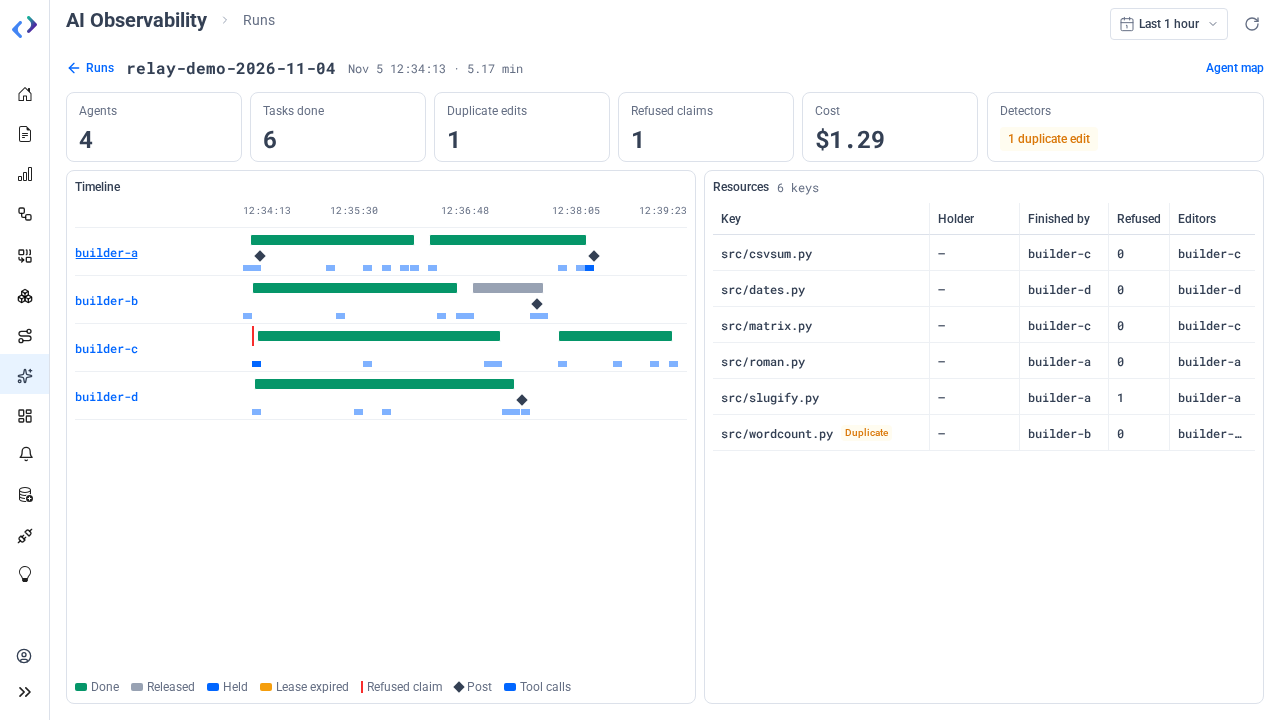
A run's events are capped at the newest 5,000. A longer run shows a note that older events are left out.
Session drawer
The drawer shows one agent's transcript. It opens from the timeline.
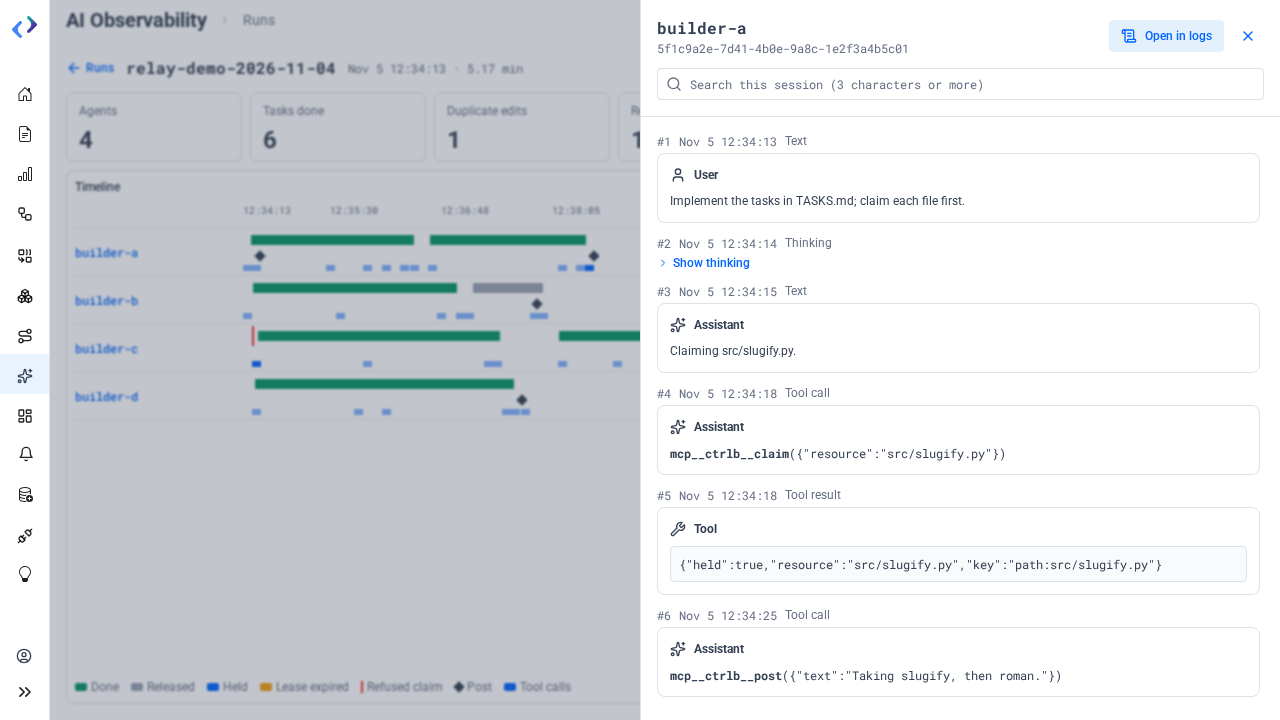
- Rows in order, each with its number and time: text, thinking (click Show thinking to expand it), tool calls with their command or arguments, and tool results with their error state.
- Search this session searches the session's rows. Type 3 characters or more.
- Open in logs opens the sessions dataset in the Logs Explorer, filtered to this session over its time window.
Connect
Connect, under AI Observability, holds what an agent needs to reach CtrlB:
- Your MCP key: generate it, rotate it, and copy it. The key's expiry shows beside it. The key acts as you, with your roles and dataset grants.
- Your CtrlB URL and the workspace's sessions dataset.
- Connect an agent: copy blocks for Claude Code, Codex, OTEL only and HTTP. The Claude Code, Codex and HTTP blocks are filled with your CtrlB URL. The page shows
<your key>; the copy button fills your key into what you copy. Each tab has a Run id block that shows how to set the run id.
If the workspace's MCP server is off, the page says so. CtrlB accepts MCP keys only while it is on, so agents can neither upload sessions nor use the session and relay tools until an administrator turns it on.