User Management
Overview
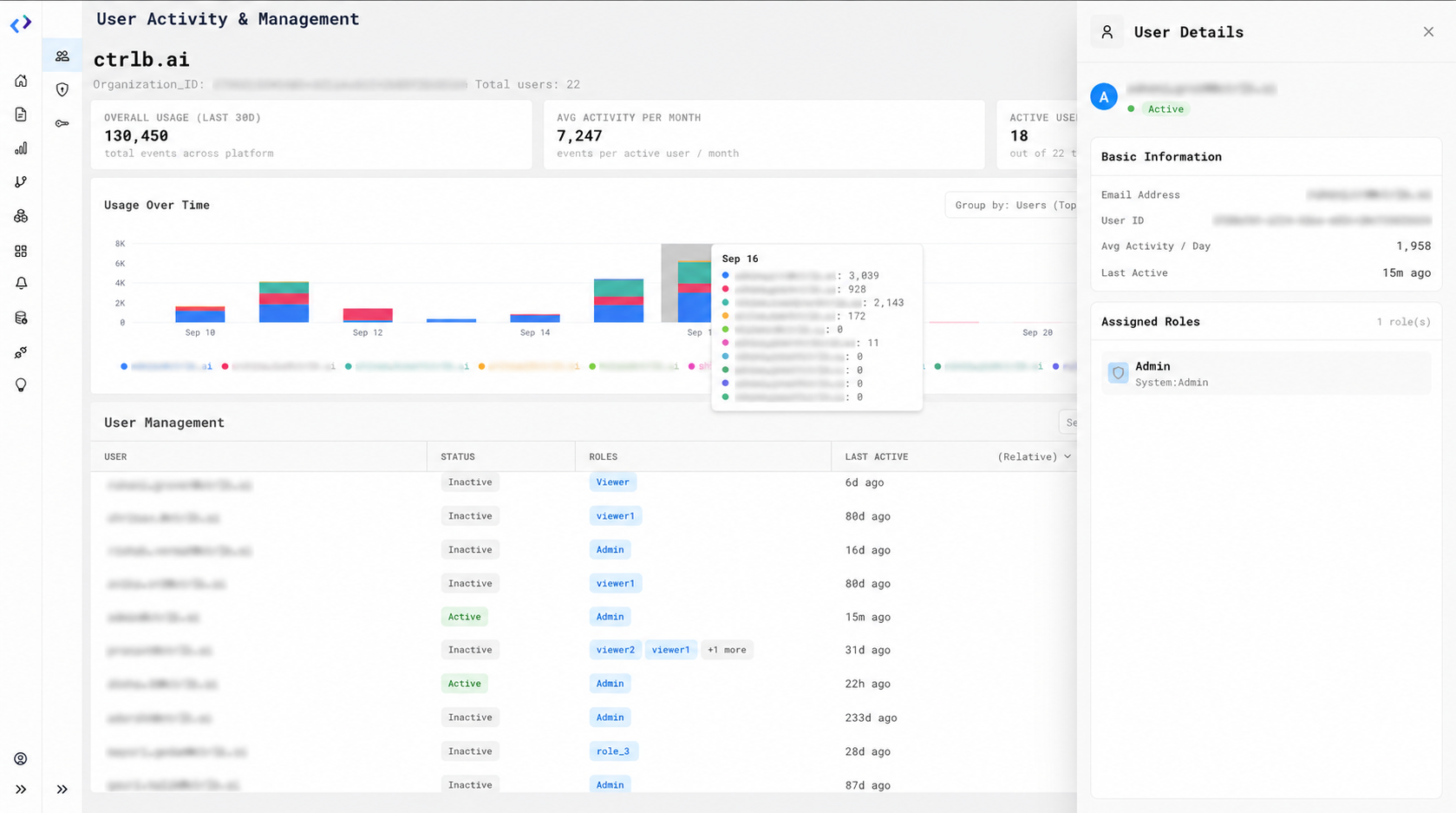
Add & manage user role & dataset level access from this page.
Custom Roles (RBAC)
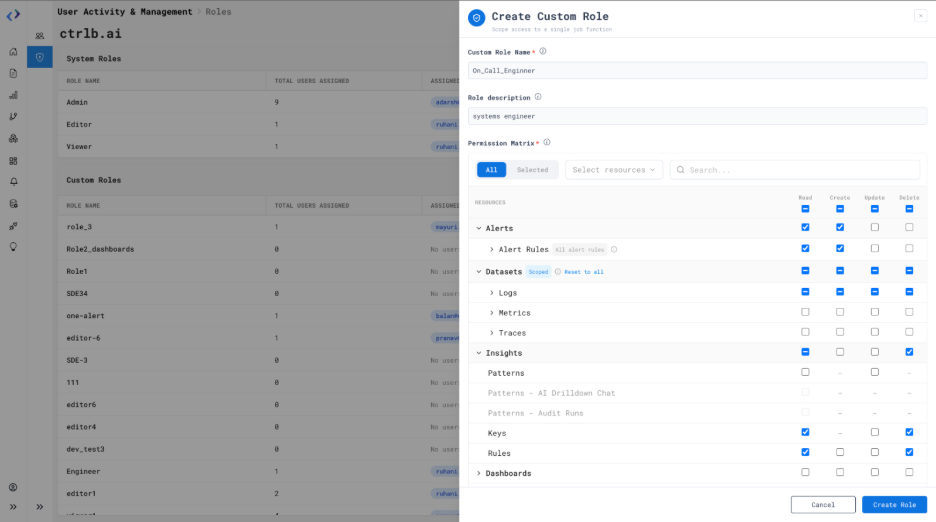
Custom Roles allow administrators to create roles with granular Read, Create, Update, and Delete permissions for individual resources. This provides more control over user access when the default Admin, Editor, and Viewer roles do not meet specific access requirements.
How to Use It:
- Go to the Roles page.
- Click Create Custom Role.
- Enter a role name and description.
- Select the required Read, Create, Update, and Delete permissions for each resource.
- Click Create Role to save the custom role.
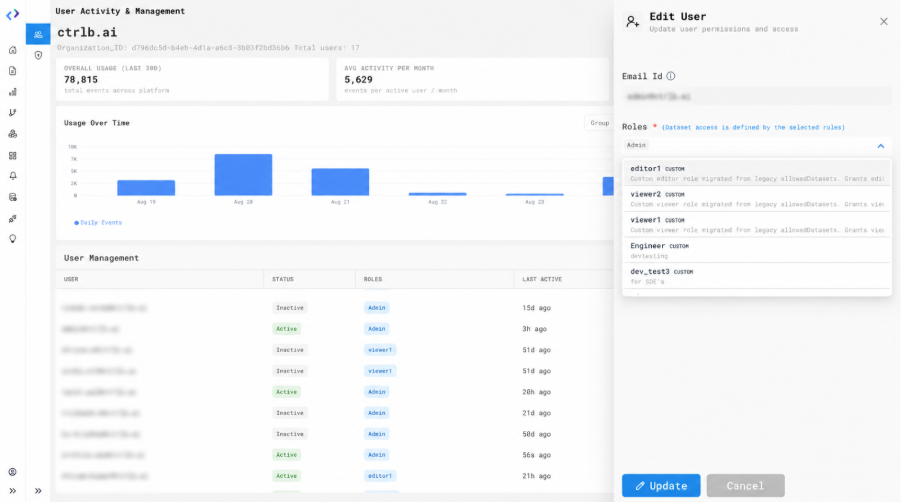
- Go to User Management Page.
- Assign the custom role to users from the User Management page.
- Edit an existing custom role to update its permissions for all assigned users.
Availability:
Admin and users with the appropriate Roles and Users permissions.