Insights
The Insight Engine automatically analyzes actively ingested logs to detect critical patterns, anomalies and emerging risks that may otherwise go unnoticed.
When to use Insights
- During incidents to quickly identify high-impact failure patterns
- Post-incident to understand recurring issues and systemic weaknesses
- Proactively to detect emerging anomalies before they escalate
What Insights Provide
Each insight includes:
-
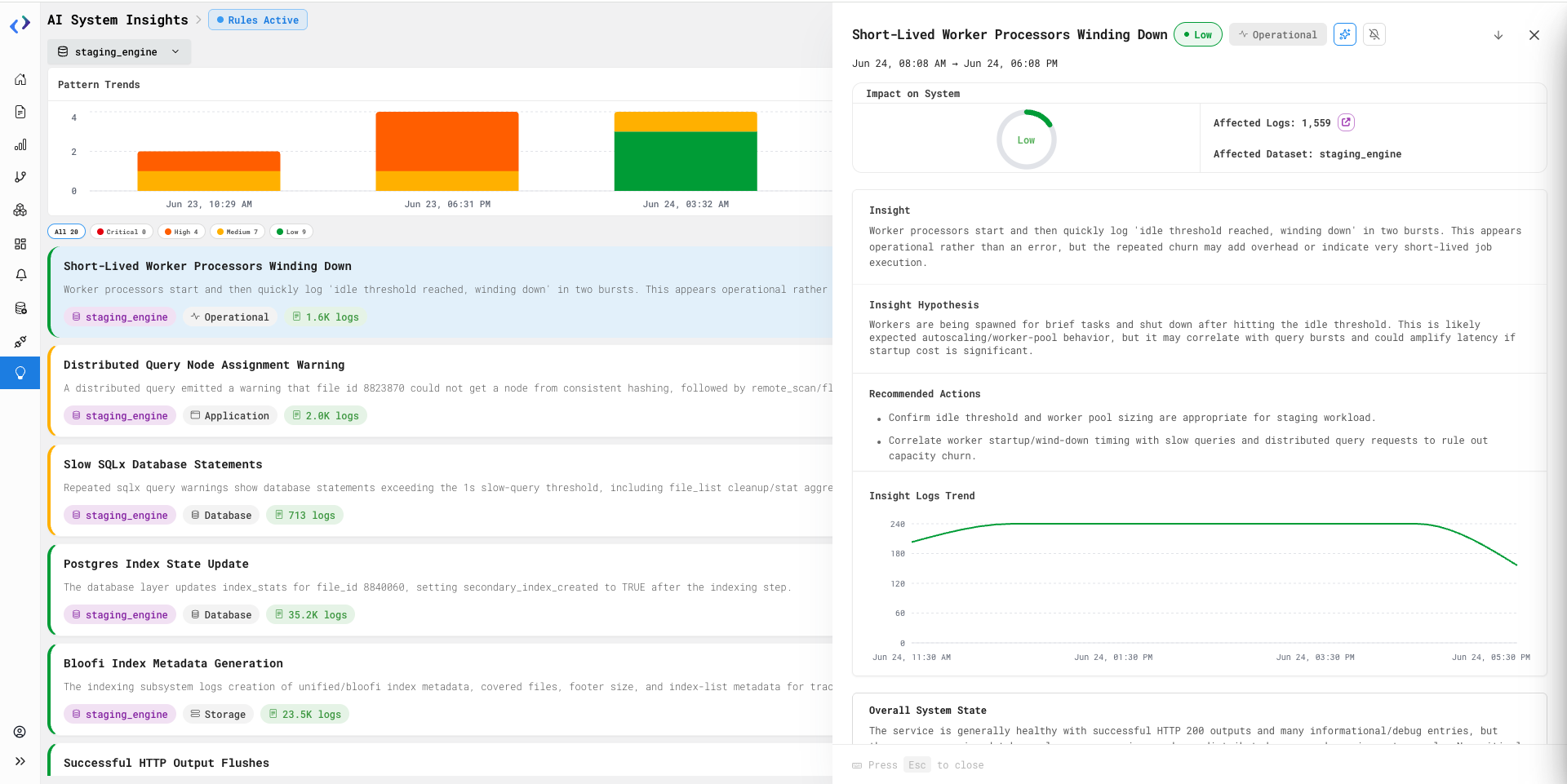
Pattern summary describing the detected issue
-
Severity classification (Critical, High, Medium, Low)
-
Impact score indicating potential system or service impact
-
Affected dataset and category (e.g., network, resource exhaustion)
-
Pattern logs and sample size for quick validation
-
Hypothesis suggesting a likely cause based on observed behavior
-
Activity timeline showing when the pattern occurred
Steps to Use
-
Open the Insights section from the left navigation.
-
Select the relevant dataset(s) and time range to scope the analysis.
-
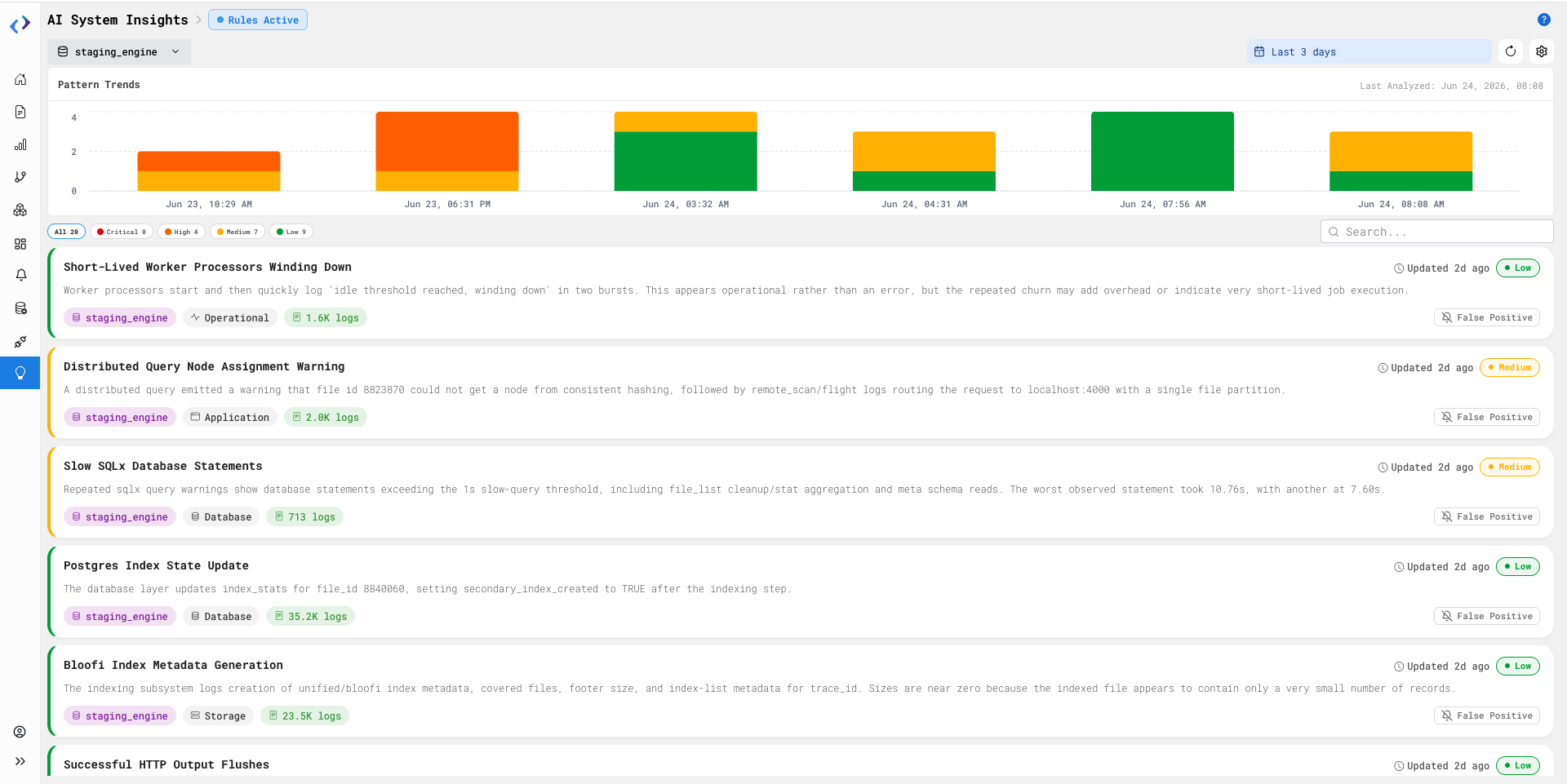
Review the Pattern Trends chart to understand how detected patterns evolve over time.
-
Use severity grouping (Critical, High, Medium, Low) to quickly identify high-impact periods.
-
Apply severity filters to focus on the most important issues.
-
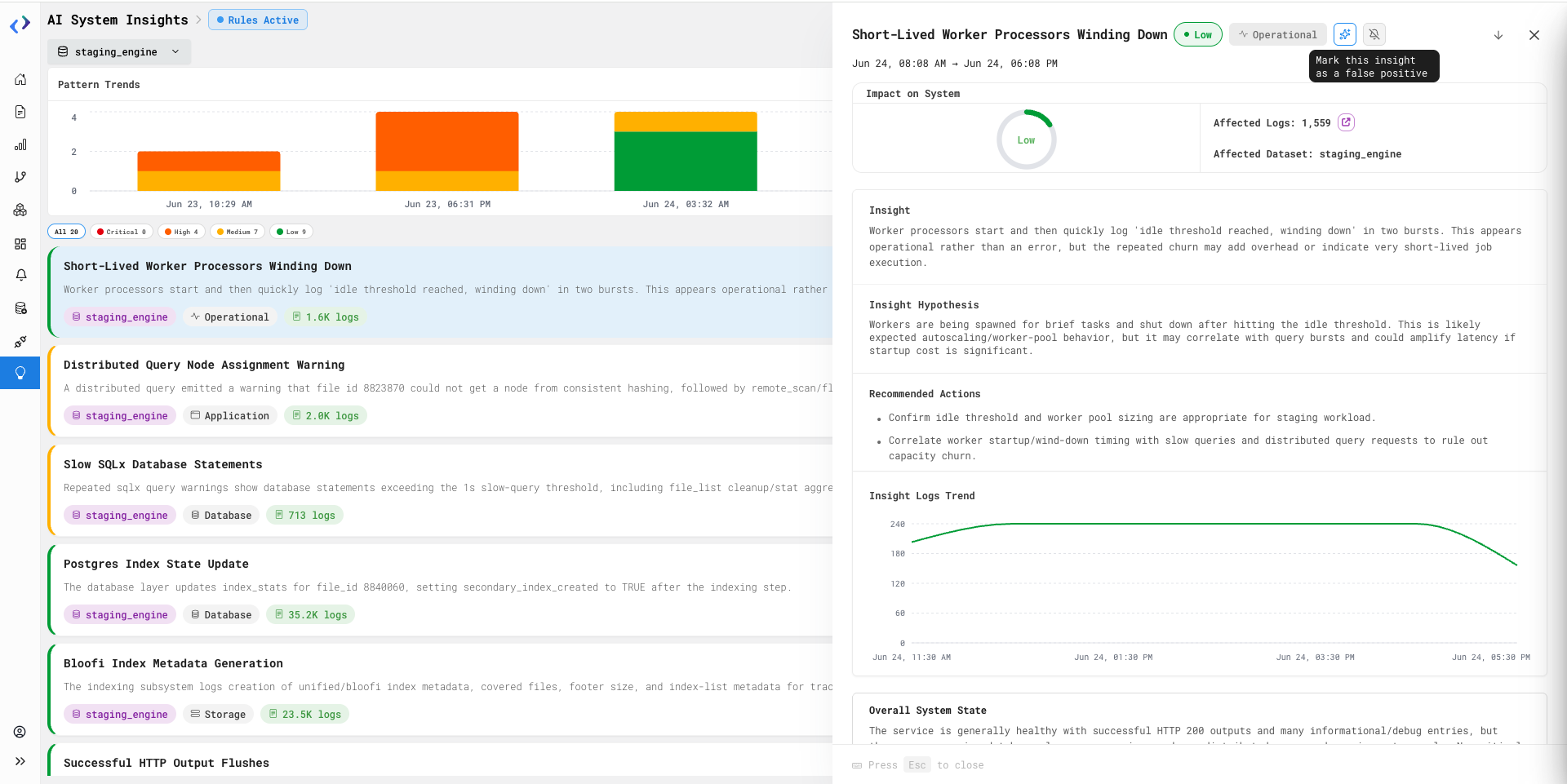
Click on an insight card to view detailed context, including impact score, affected dataset, pattern logs, and sample size.
-
Review the hypothesis to understand the likely cause inferred by the system.
-
Use the activity timeline to correlate patterns with events.
-
Validate findings by inspecting sample logs associated with the pattern by clicking on the dataset section.
AI-Drilldown User-Prompt Rules
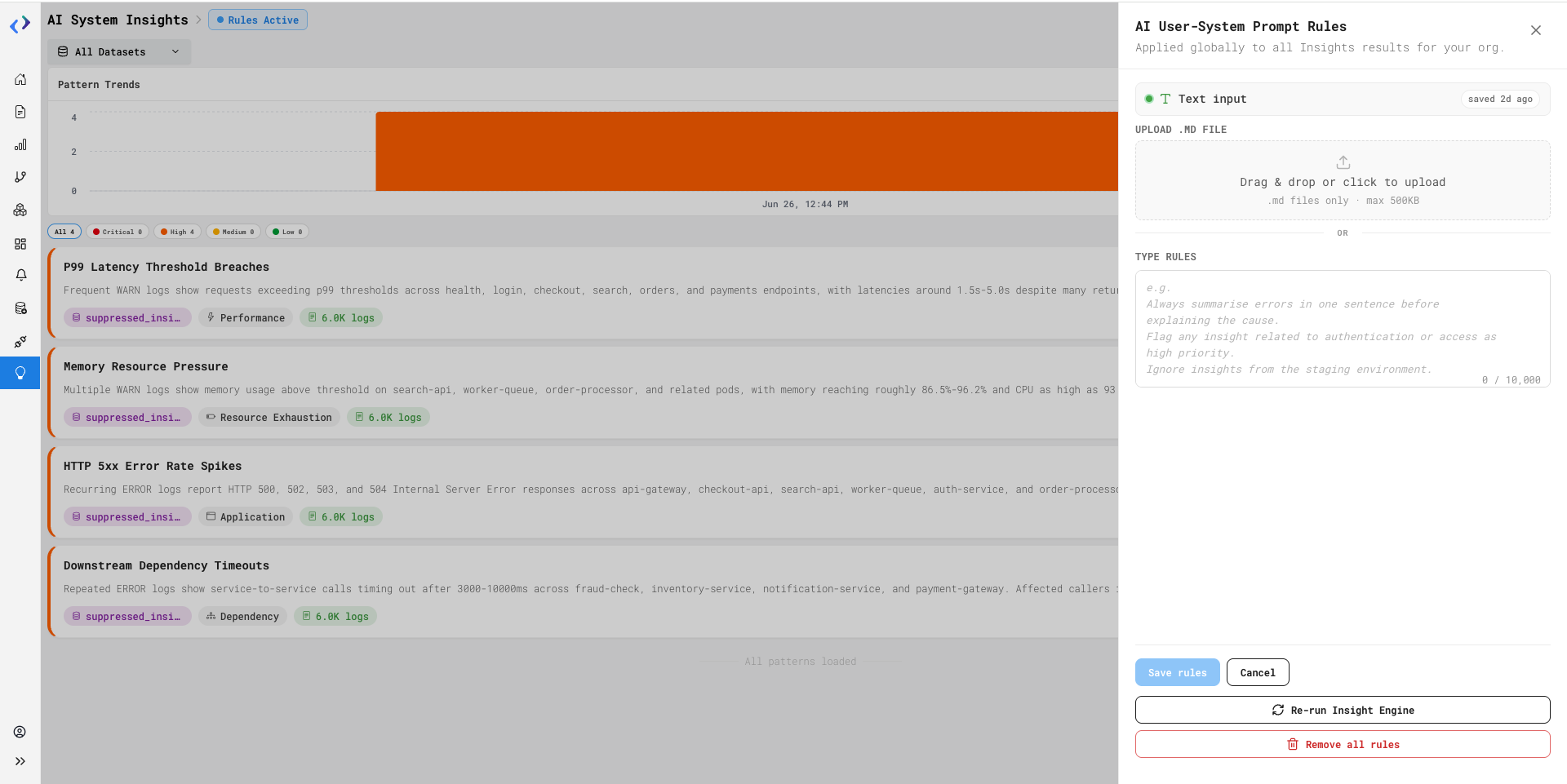
AI User-System Prompt Rules allow administrators to define custom instructions that are applied to all future Insights generated within the organization. Rules can be configured using either a Markdown (.md) file or plain text instructions and help tailor Insight outputs to specific business requirements.
How to Use It:
-
Go to the Insights page
-
Click the Settings (gear) icon in the top-right corner
-
Select AI User-System Prompt Rules
-
Add rules using one of the following methods:
-
Upload a .md file
-
Enter instructions in the text input field
-
-
Click
Save Rulesto apply the rules across all future Insights -
Once updated, click
Re-run Insight Engineto immediately generate Insights using the latest saved rules -
Use
Remove All Rulesto remove the active rules and revert to the default Insight generation behavior -
If rules are currently being applied, a Rules Active indicator is displayed at the top of the screen
Availability:
Admin Only
AI-Drilldown Insights
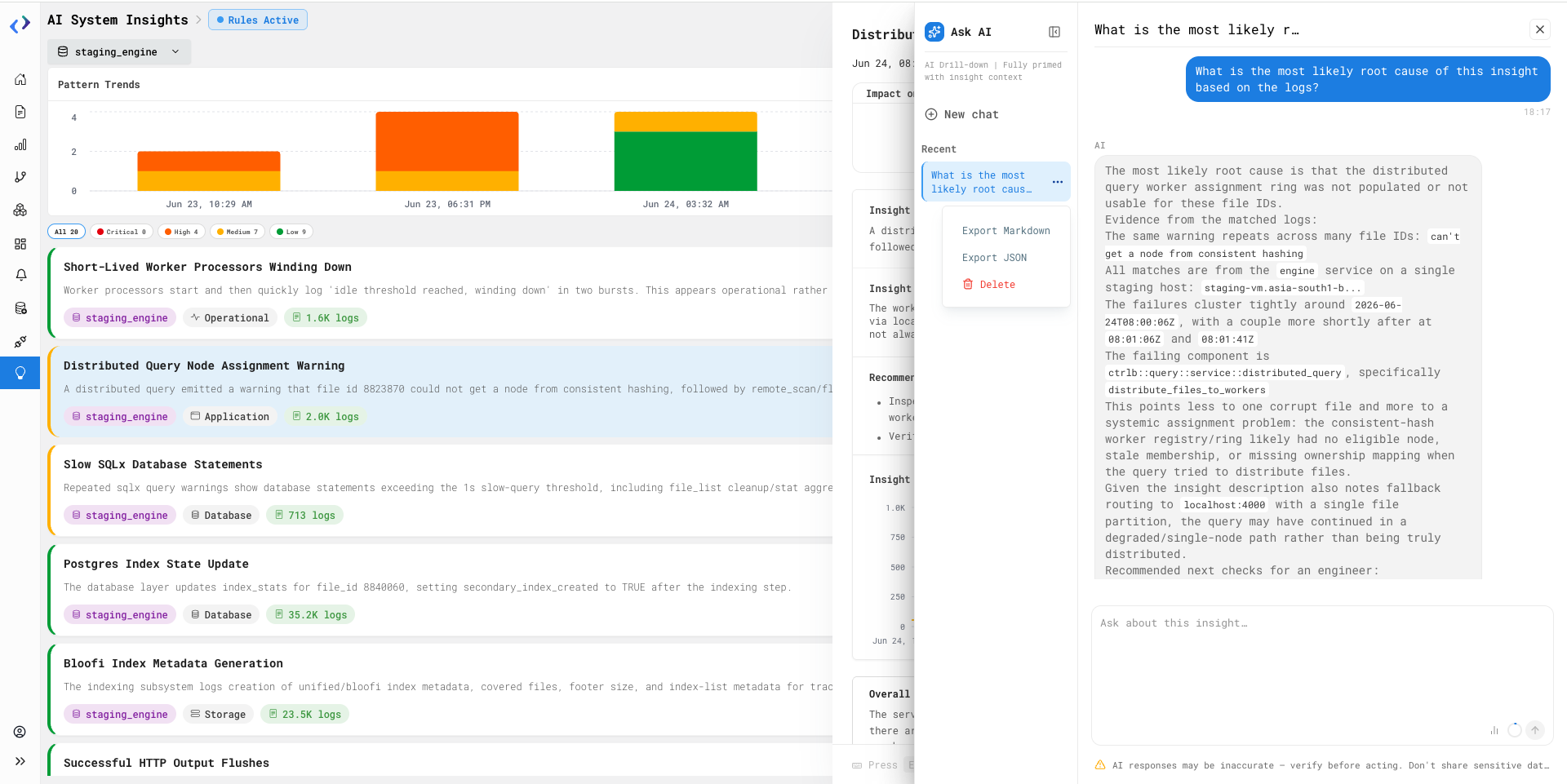
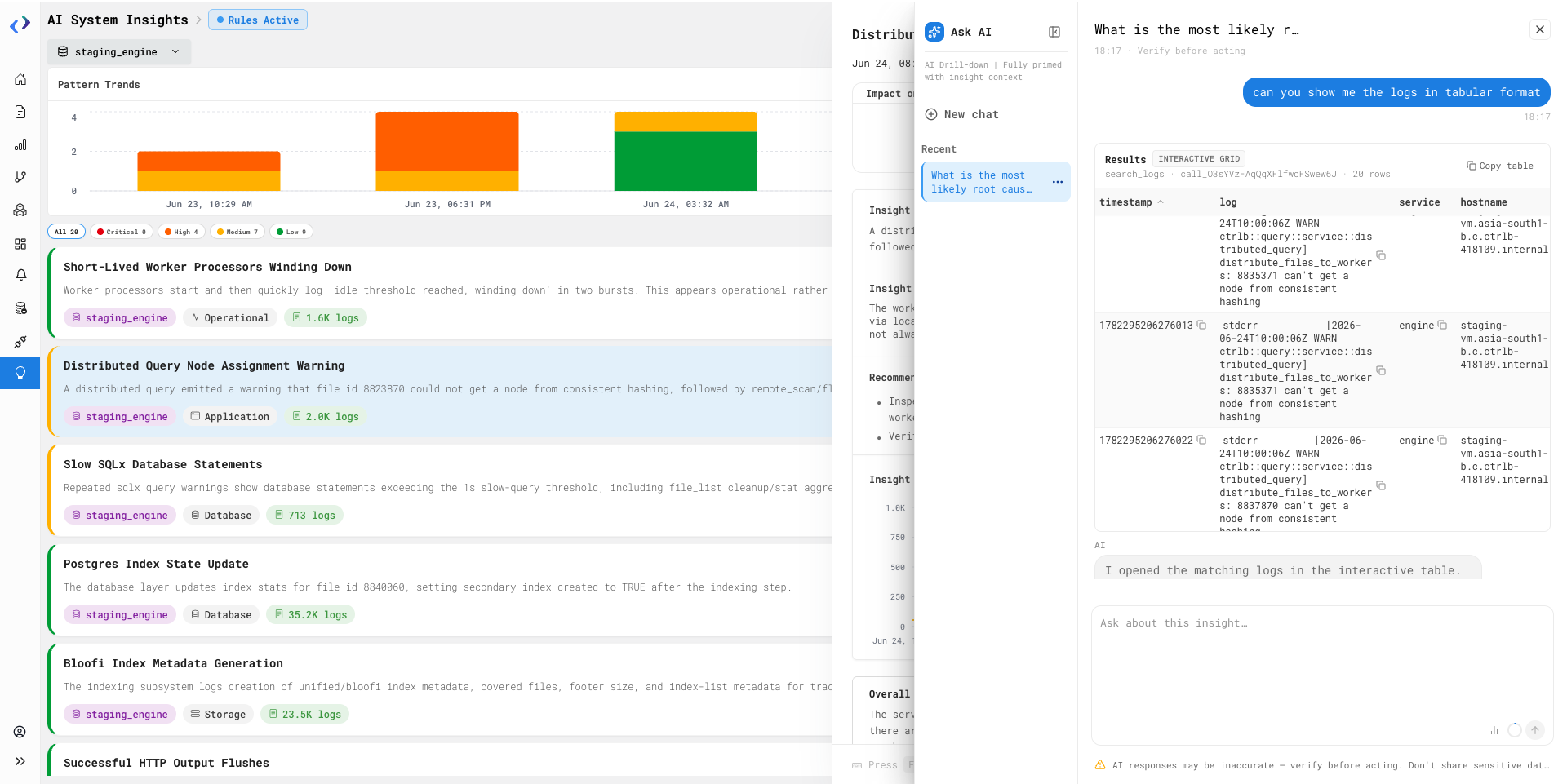
AI Drilldown Chat allows users to investigate Insights using a contextual AI assistant. The AI is automatically provided with the Insight details, helping users analyze patterns, understand potential causes, and explore the impact of issues through natural language conversations.
How to Use It:
-
Go to the Insights page
-
Open an Insight to view its details
-
Click
Drilldown with AIin the Insight details panel -
Review the suggested conversation starters or enter your own question
-
Ask questions about the Insight, affected services, logs, patterns, or potential root causes
-
You can also export the conversations from it's chat window
Availability:
Admin only
Hide Insights
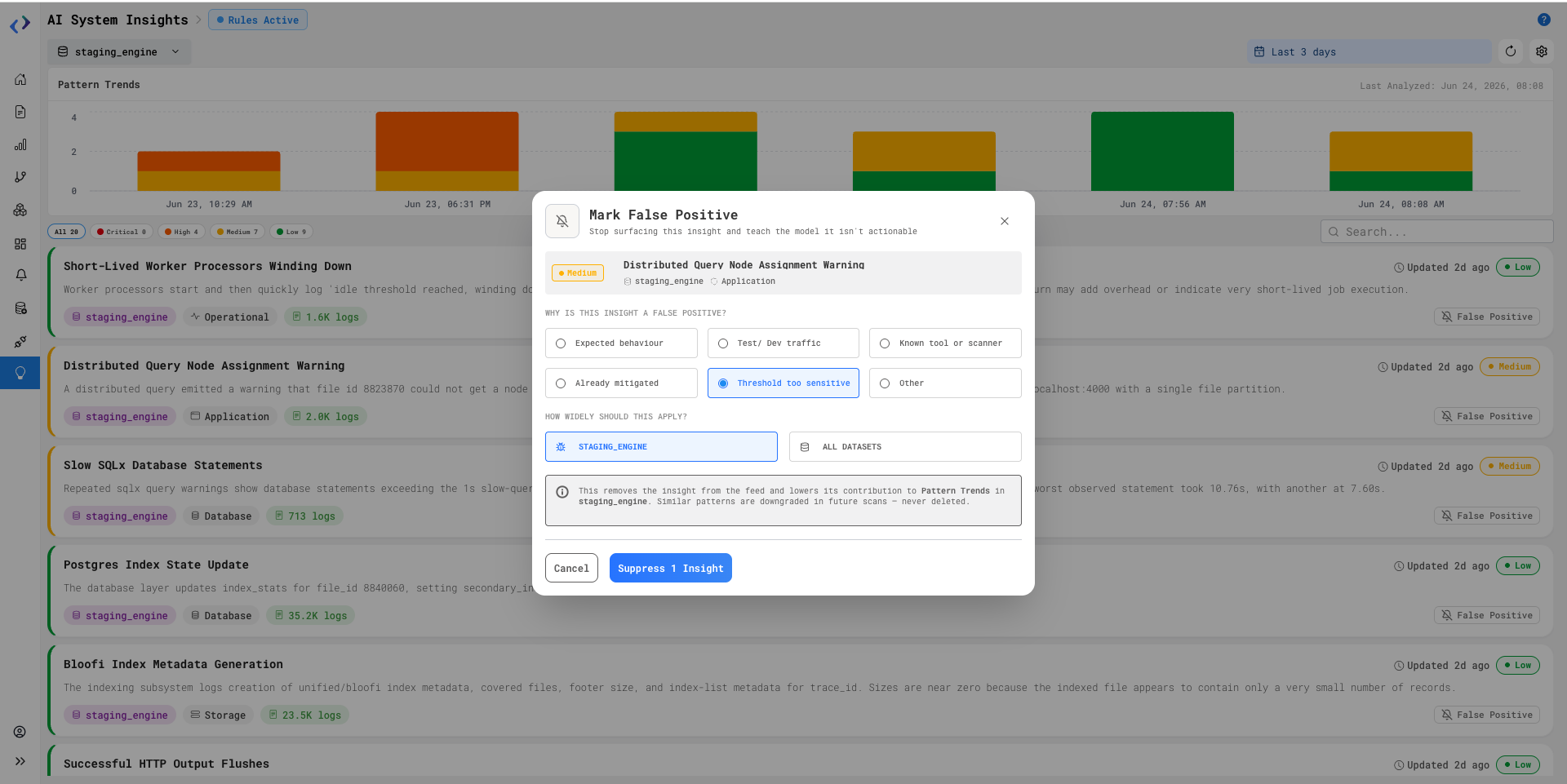
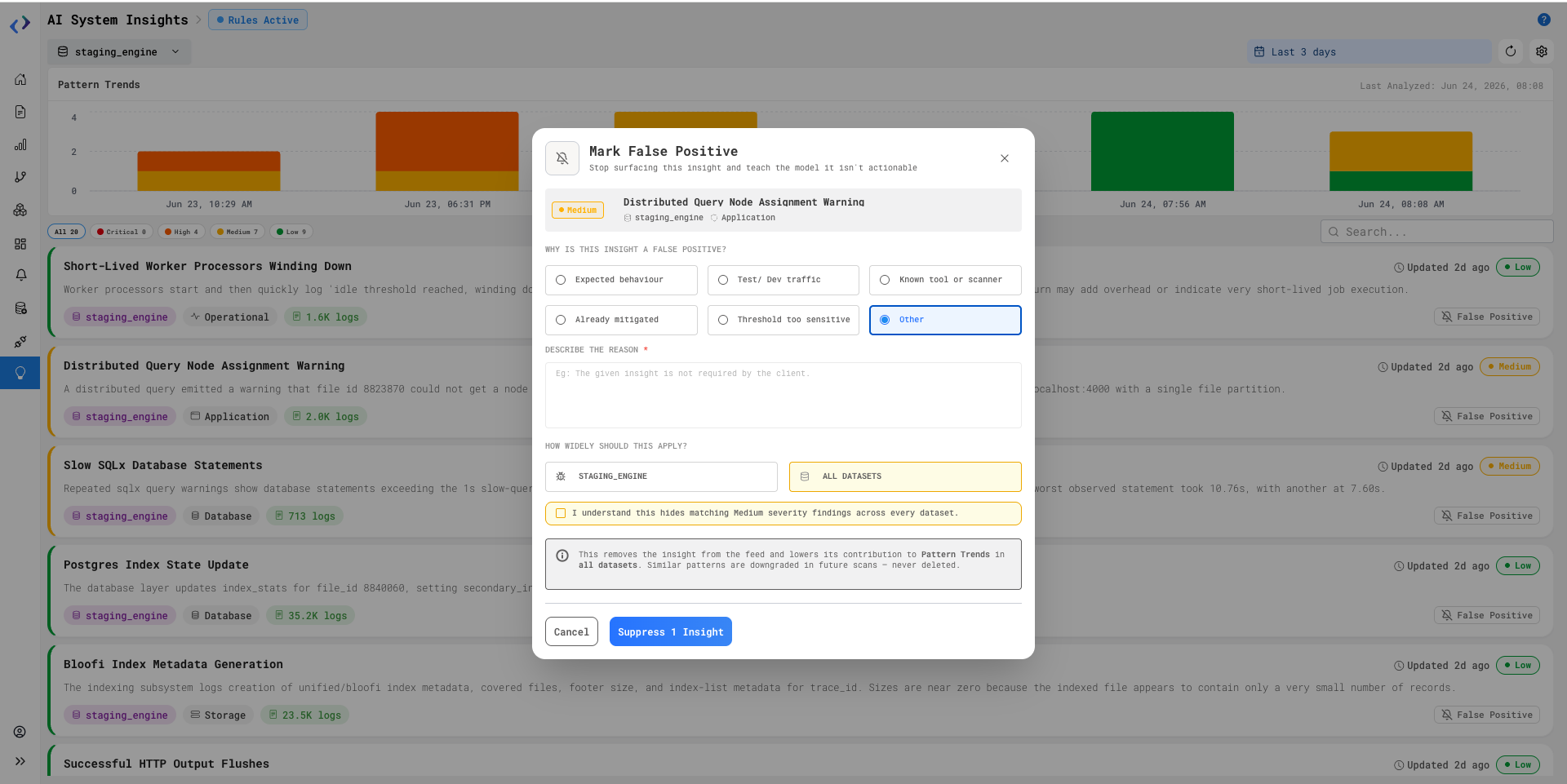
Hide Insights allows users to mark an Insight as a false positive and prevent similar Insights from appearing in future scans. Users can provide a reason for suppression and choose whether the suppression should apply to the current dataset or across all datasets.
How to Use It:
-
Go to the Insights page
-
Click the
False Positive (bell) iconon the insight card you want mark as a false positive -
Select a reason for suppression:
-
Expected behaviour
-
Test / Dev traffic
-
Known tool or scanner
-
Already mitigated
-
Threshold too sensitive
-
Other
-
If Other is selected, enter a custom reason
-
-
Choose the suppression scope:
-
Current dataset
-
All datasets
-
-
Click
Suppress Insight
The Insight is removed from the feed and similar Insights will be suppressed or downgraded in future scans based on the selected scope
Use Undo button from the confirmation notification to restore the Insight if needed
Availability:
Admin only